
Meet NiroHelp: An AI-Native Helpdesk for WordPress


It is Monday morning. Eleven tickets are waiting. Eight ask questions you have already answered:
- How do I move my license to another site?
- Where can I download my invoice?
- Does this work with the block editor?
The answers exist. They are published in your documentation, but someone still has to open each ticket, find the right article, and write the reply.
WordPress teams usually solve this by connecting several tools: one plugin for documentation, another for tickets, an AI add-on that requires an API key, and the shared inbox nobody has fully stopped using. A hosted help desk simplifies the setup, but often charges for every agent.
We built NiroHelp, an AI-native helpdesk for WordPress because neither approach felt right.
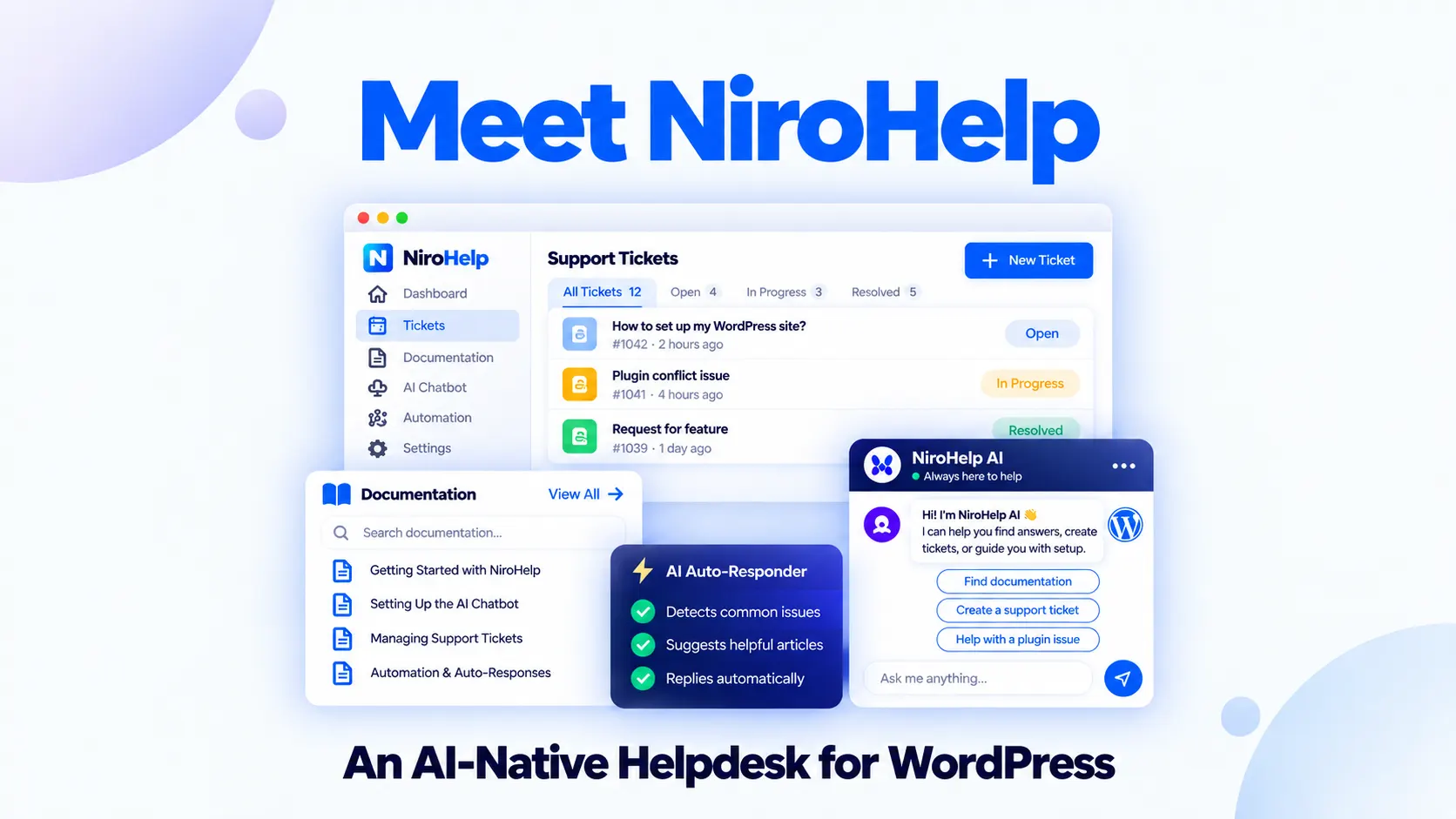
NiroHelp connects a knowledge base, ticketing, and AI-assisted support inside WordPress. The AI answers from your published documentation when the match clears a confidence threshold you control. When the source is not strong enough, it stays quiet and leaves the ticket for a person.
That last part is not a fallback. It is the principle behind the product.
Why Build Another Helpdesk for WordPress?
There are already capable documentation, ticketing, and chatbot plugins. The problem is that they often work as separate systems.
Your documentation contains the approved answers. Your ticket queue contains the questions customers are asking. When those two live in different tools, agents keep searching for information your business has already written down. Adding AI as a third layer does not automatically close that gap.
This WordPress helpdesk was built so the three parts know about one another:
- Customers search the knowledge base or submit a question.
- The AI checks the same articles your customers can read.
- It responds only when the match is strong enough.
- Everything else remains with the support team.
The documentation and ticketing modules are free. Paid plans add the AI chatbot, ticket auto-responder, dashboard copilot, and email piping.
What NiroHelp Includes
NiroHelp keeps its core support content in familiar WordPress structures. Documentation and tickets are stored as posts, while ticket replies are stored as comments.
| Capability | What It Does | Availability |
| Knowledge base | Publishes and organizes product documentation | Free |
| Support ticketing | Tracks customer conversations through eight stages | Free |
| Support dashboard | Shows workload, response times, sentiment, and AI activity | Free |
| Migration tools | Imports content from seven supported plugins | Free |
| AI chatbot | Answers website questions from published documentation | Paid |
| AI auto-responder | Replies to suitable tickets based on relevance | Paid |
| Dashboard copilot | Answers questions about your support data | Paid |
| Email piping | Brings messages from a support mailbox into tickets | Paid |
A Knowledge Base for Customers and AI
Articles can be organized into topics and searched from the front end. Readers can mark an article as helpful or unhelpful, giving your team a direct signal when documentation is not solving the problem it was written for.
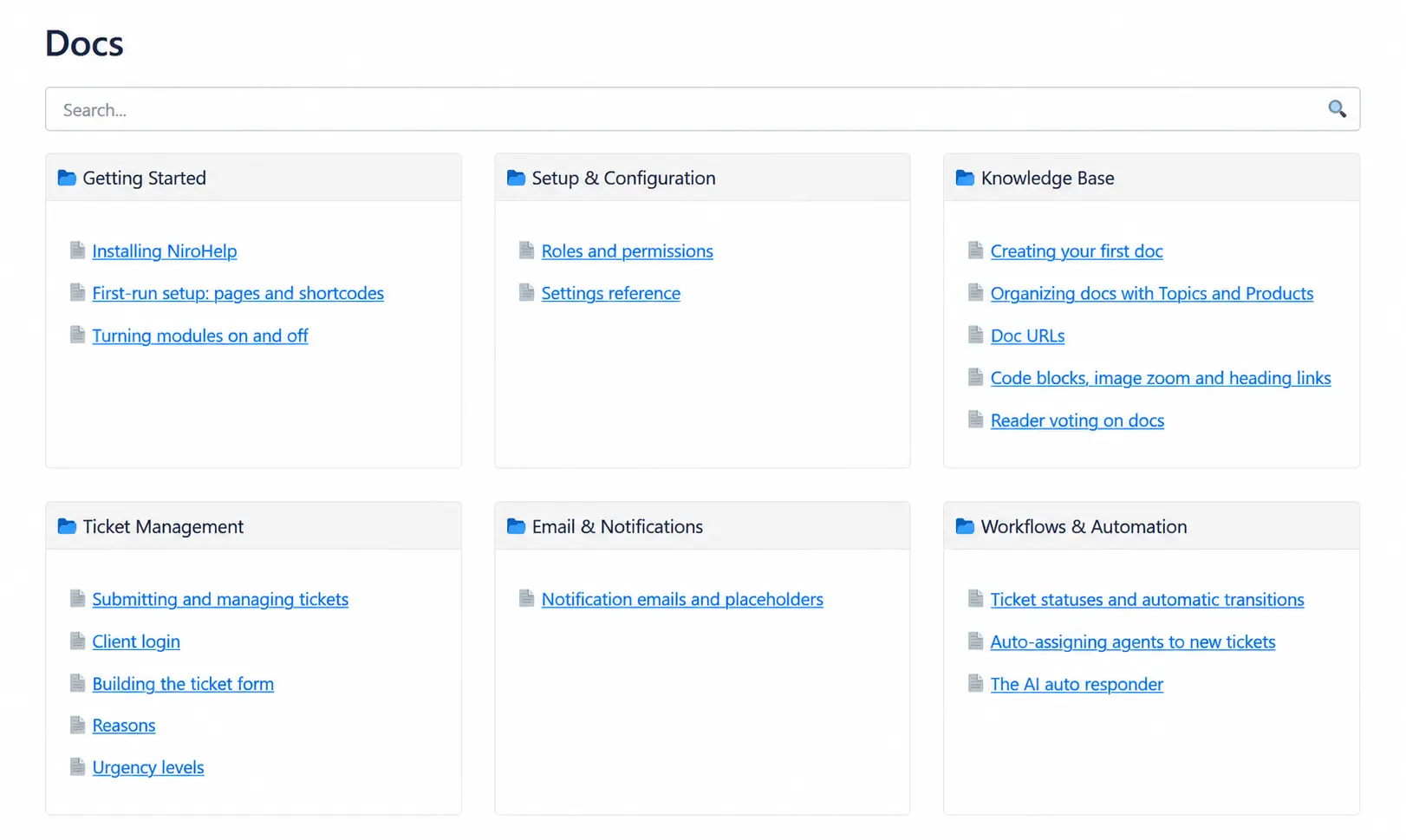
NiroHelp also supports a table of contents, readable code snippets, multiple permalink structures, and caching through Redis, Memcached, or WordPress transients.
An article may still generate tickets because one step is missing or outdated. Repeated negative votes help you find the problem.
A Ticket Queue That Distributes Work
Tickets move through eight stages, with status changes triggered by customer and agent replies. Assignment can be random, round-robin, or based on the agent with the lightest workload. You can also limit how many open tickets an agent can hold or disable automatic assignment and triage manually.
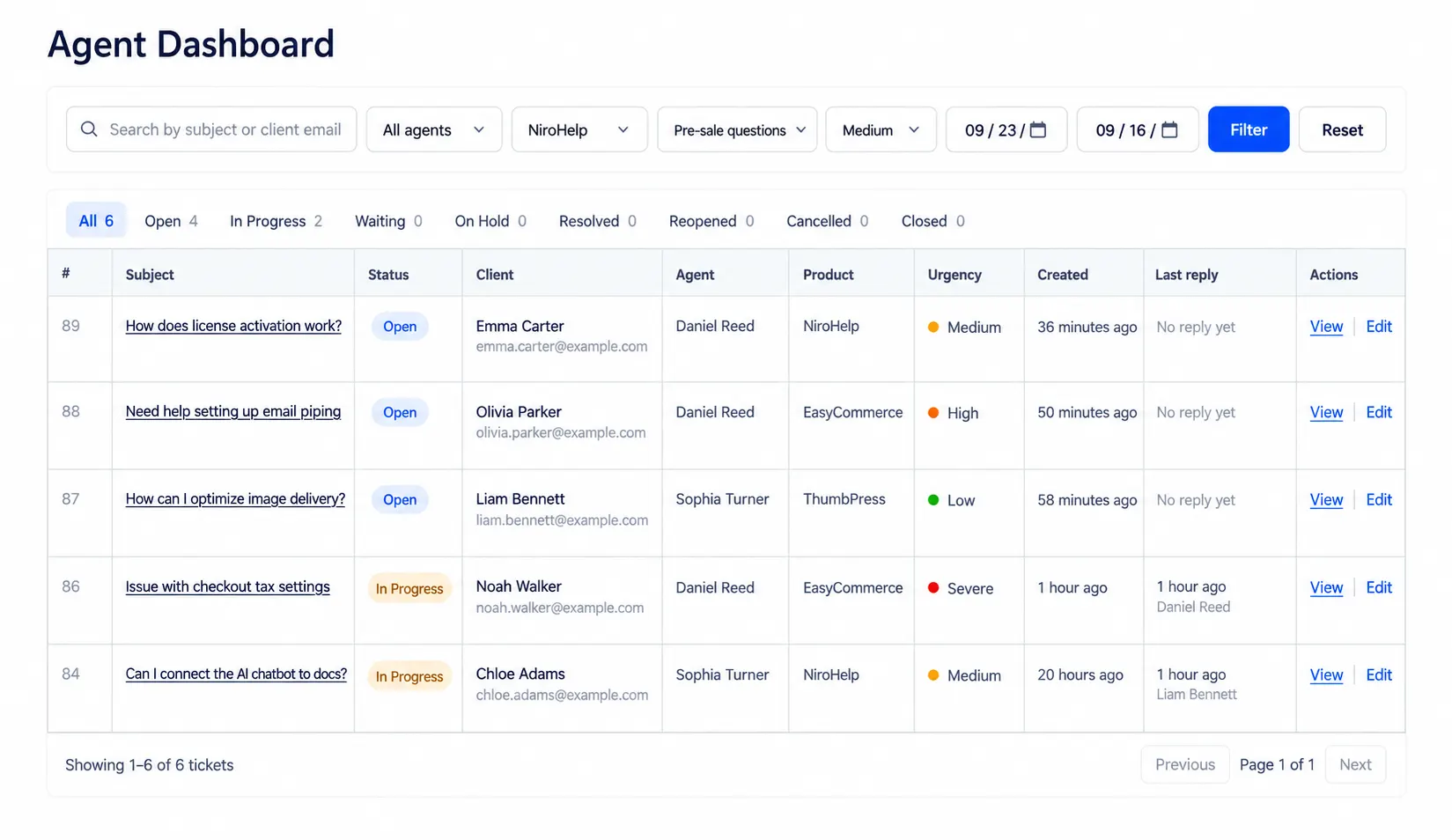
Custom fields let you collect the information your team needs before troubleshooting begins. Available field types include text, number, email, long answer, and dropdown.
Customers can submit tickets as guests and claim them later with a code. Returning customers can sign in using a one-time code, magic link, or password. The customer portal is independent of the active theme and can be embedded on a WordPress page.
A Dashboard That Prioritizes Risk
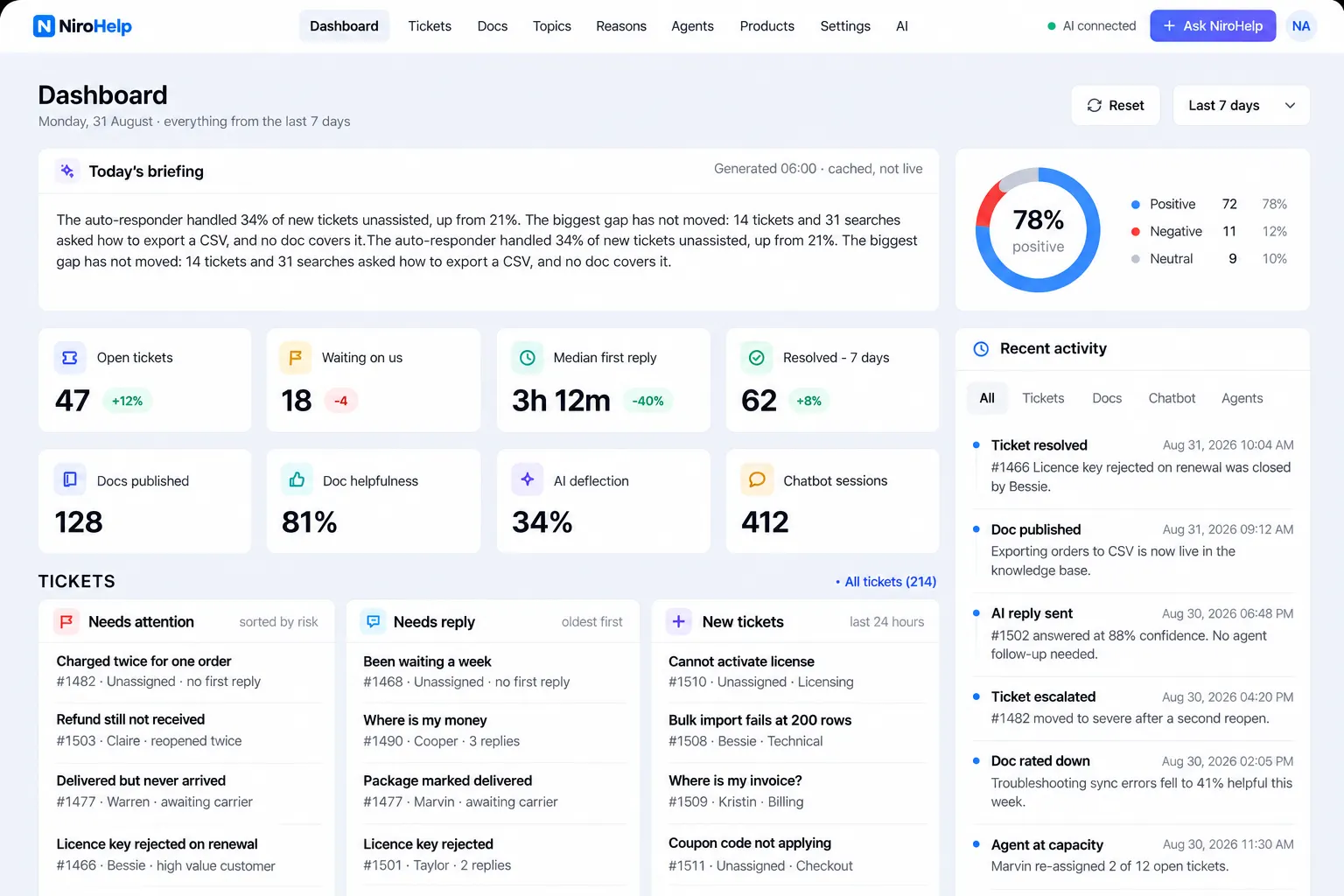
The dashboard can prioritize conversations using urgency and waiting time, helping the team find an older critical issue before a recent low-priority question. It also shows sentiment, median first-response time, recent activity, and AI-handled conversations.
How NiroHelp Answers a Ticket Without an Agent
The AI auto-responder follows four steps:
- A customer submits a ticket.
- NiroHelp searches the published documentation for the closest answer.
- The match receives a relevance score.
- The AI replies only if that score clears your threshold.
If the score is too low, no AI reply is sent. The ticket remains ready for a human agent.
There is no decision-tree builder or complex automation map to configure. The main control is the confidence threshold.
You Decide How Certain the AI Must Be
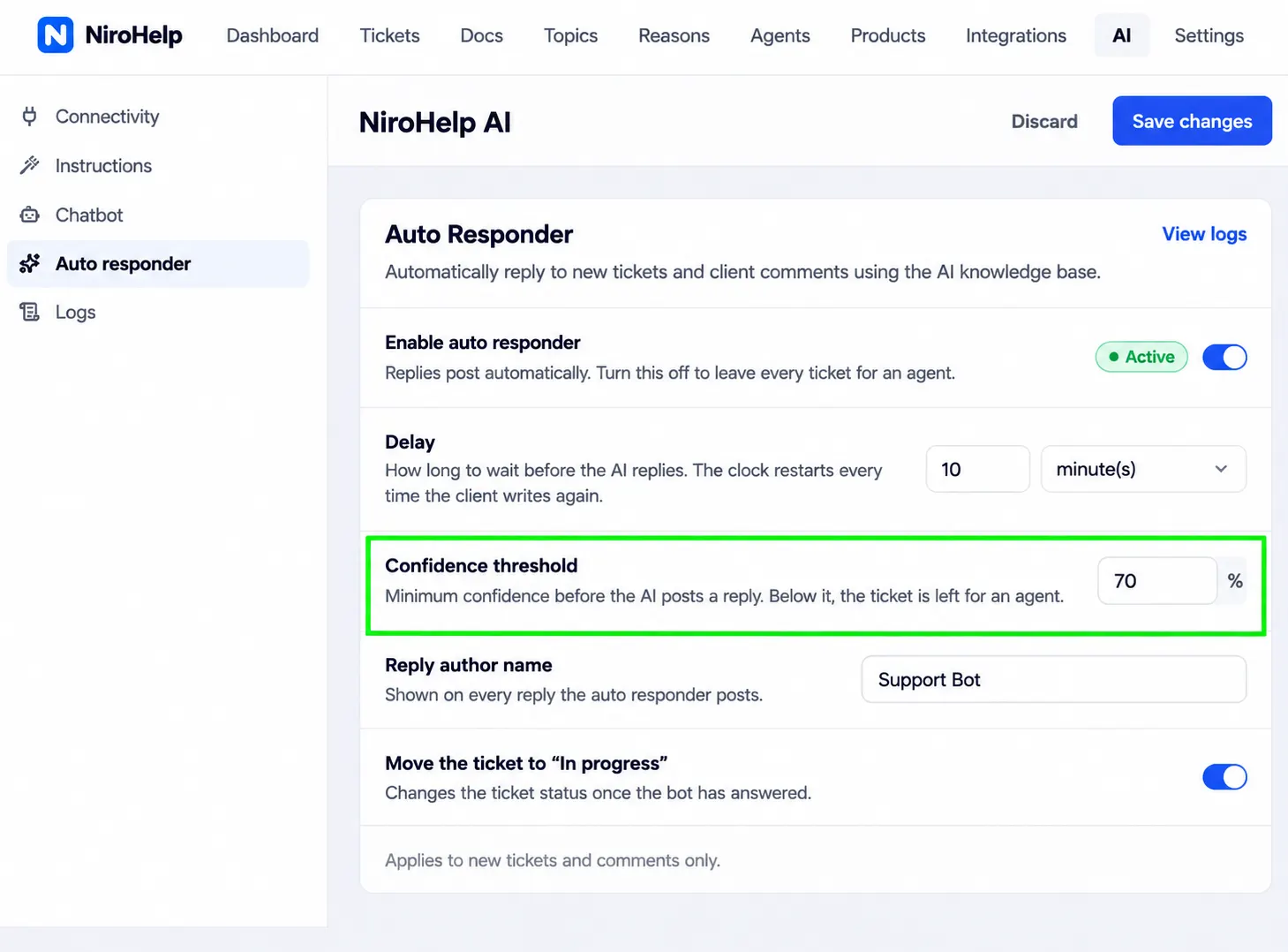
The threshold runs from 0 to 100. A higher number makes the auto-responder more selective. A lower number lets it attempt more tickets, but increases the risk of matching a question with content that does not fully answer it.
For example:
| Customer Question | Example Score | Result |
| “Where can I download my invoice?” | 87% | Answered from the billing article |
| “Can I get a discount for three sites?” | 44% | Left for the support team |
| “Your plugin broke my checkout page.” | 12% | Left for investigation |
Start with a high threshold. Review the answers and AI log for a few weeks before allowing looser matches. It is easier to expand a trustworthy system than repair customer confidence after weak answers.
The AI Waits Before Replying
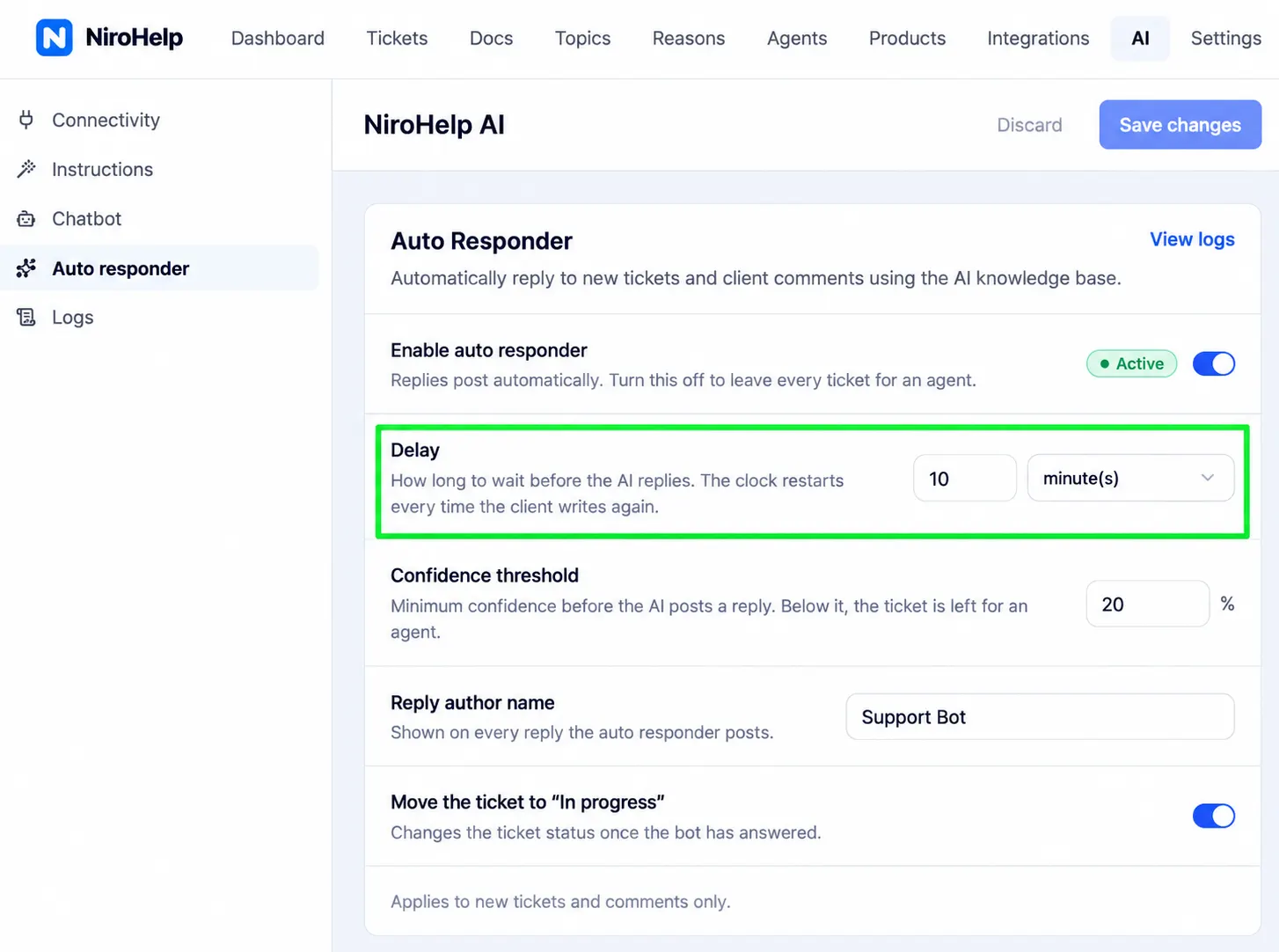
AI responses can be delayed by minutes or hours, with five minutes as the default. This gives customers time to finish explaining the issue and gives an agent a chance to take the ticket first.
A human reply cancels the pending AI response. A new customer message restarts the timer so the AI does not answer outdated context. Resolved, closed, and cancelled tickets are excluded.
Every AI Attempt Is Logged
The AI log records the relevance score, credit cost, and why an answer was declined. Your team can inspect an unusual result instead of guessing what happened.
The Same Knowledge Powers the Chatbot
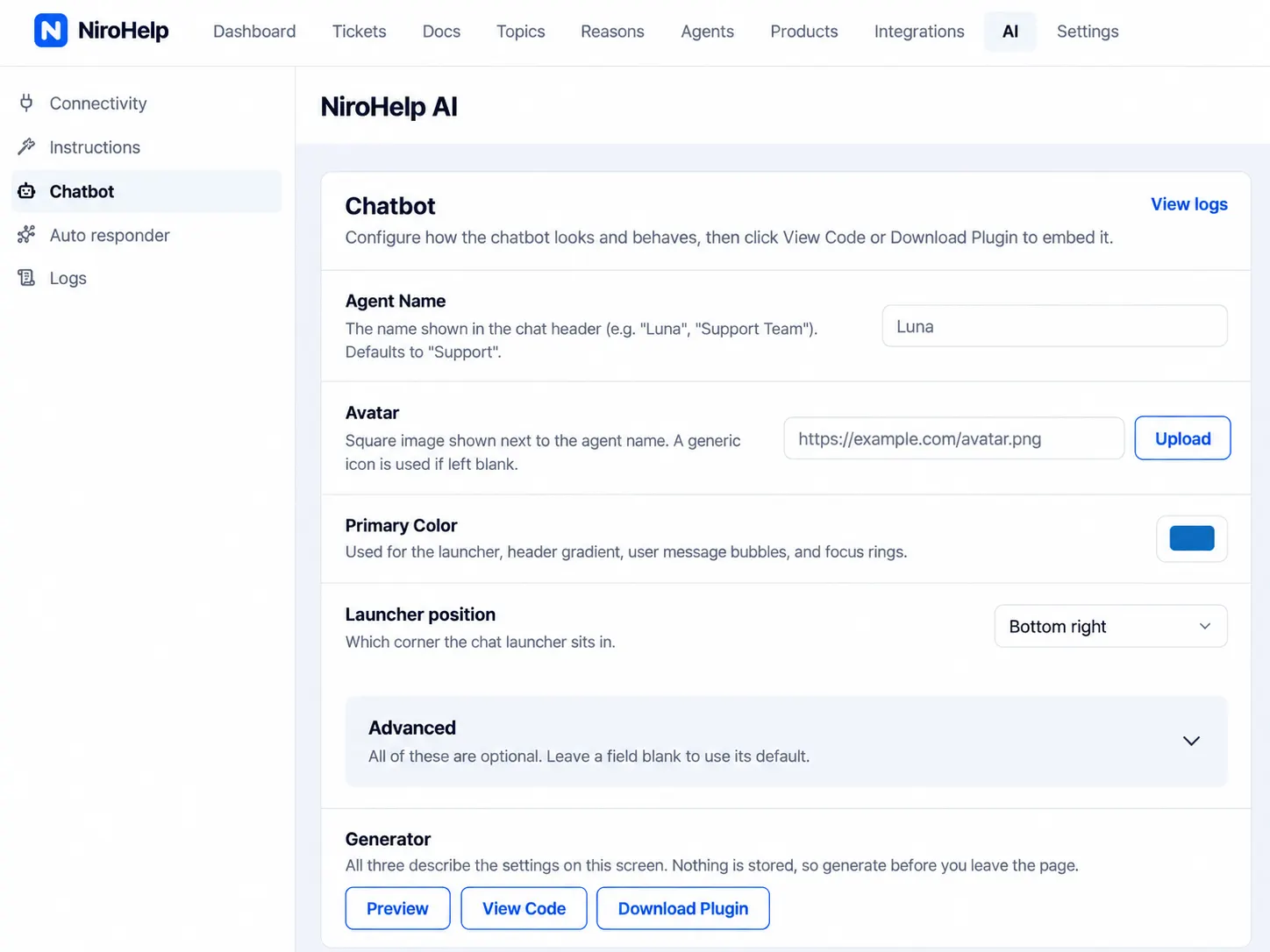
The AI chatbot can be added to a WordPress or non-WordPress website with a script tag. You control its name, avatar, color, page visibility, and business-hour behavior. The widget can also be previewed before visitors see it.
The conversation remains available as the visitor moves between pages in the same browser tab. Answers come from your published NiroHelp documentation.
Start with the free help desk. Install NiroHelp from WordPress.org without creating an account or adding a payment card.
Why Knowing When to Stop Matters
Customers are not against every use of AI. They are against being trapped by it.
A 2026 Gartner survey found that 50% of customers felt GenAI made support interactions easier, but 87% said access to a human agent was essential. Gartner recommends attempting resolution only when confidence is high and maintaining a clear route to human support. Read the Gartner findings.
Another Gartner report found that only 27% of customers would try a chatbot again after a negative experience. Its advice is direct: prioritize reliability over reach. See the September 2026 research.
That supports the central decision behind NiroHelp. The goal is not to keep every conversation inside AI. The goal is to answer a defined group of questions well and leave the rest for people.
Deflection Is Not Resolution
Deflection counts conversations a human did not touch. Resolution measures whether the customer’s problem was actually solved.
A customer who receives an unhelpful chatbot reply, gives up, and emails from another address may still be counted as deflected. That is why a large deflection number can look impressive without proving that support improved.
NiroHelp does not yet have a mature resolution benchmark. Track your own outcomes instead:
- Did the customer reply again about the same problem?
- Was the ticket reopened or escalated?
- Which questions repeatedly fell below the threshold?
- Which source articles produced weak answers?
Your Documentation Sets the Ceiling
AI cannot repair a short, outdated billing article. If the approved answer is missing or contradictory, the system has nothing reliable to use.
Before enabling the AI, identify the questions that arrive most often and confirm that each has a current, authoritative article. Keep refunds, account changes, deletions, security issues, and policy exceptions under human control even when related documentation exists.
This work pays twice. Better articles improve customer self-service and give the AI stronger material.
The Less Glamorous Features That Keep Support Moving
Bring Support Email Into the Ticket Queue
Email piping connects a support mailbox through IMAP, POP3, or a provider webhook. Messages become tickets, quoted history is removed, attachments are carried across, and automated replies are ignored.
Collect the Right Details Up Front
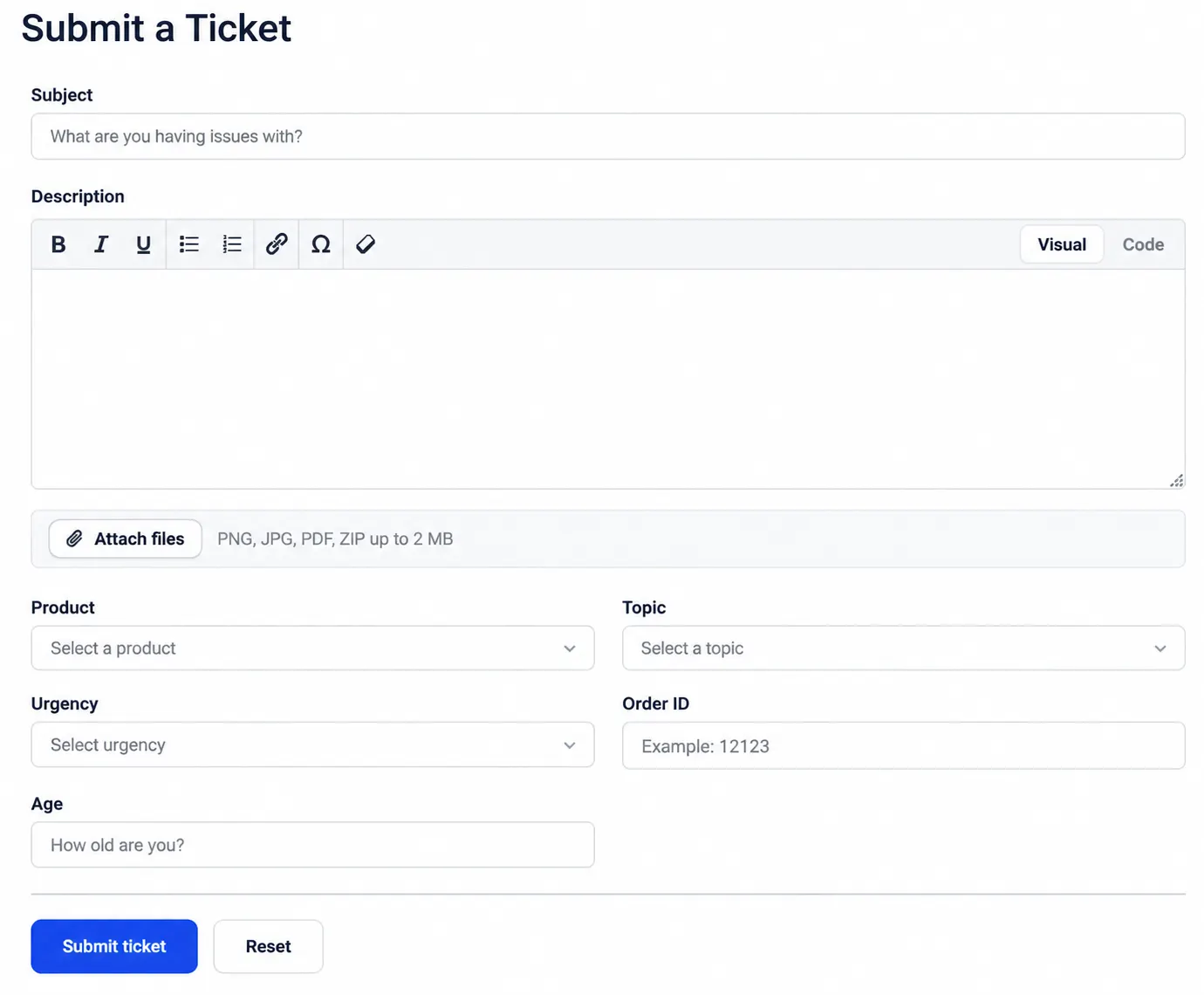
Custom fields can request a license key, order number, or WordPress version during submission, avoiding another reply for basic information.
Control Agent Access and Workload
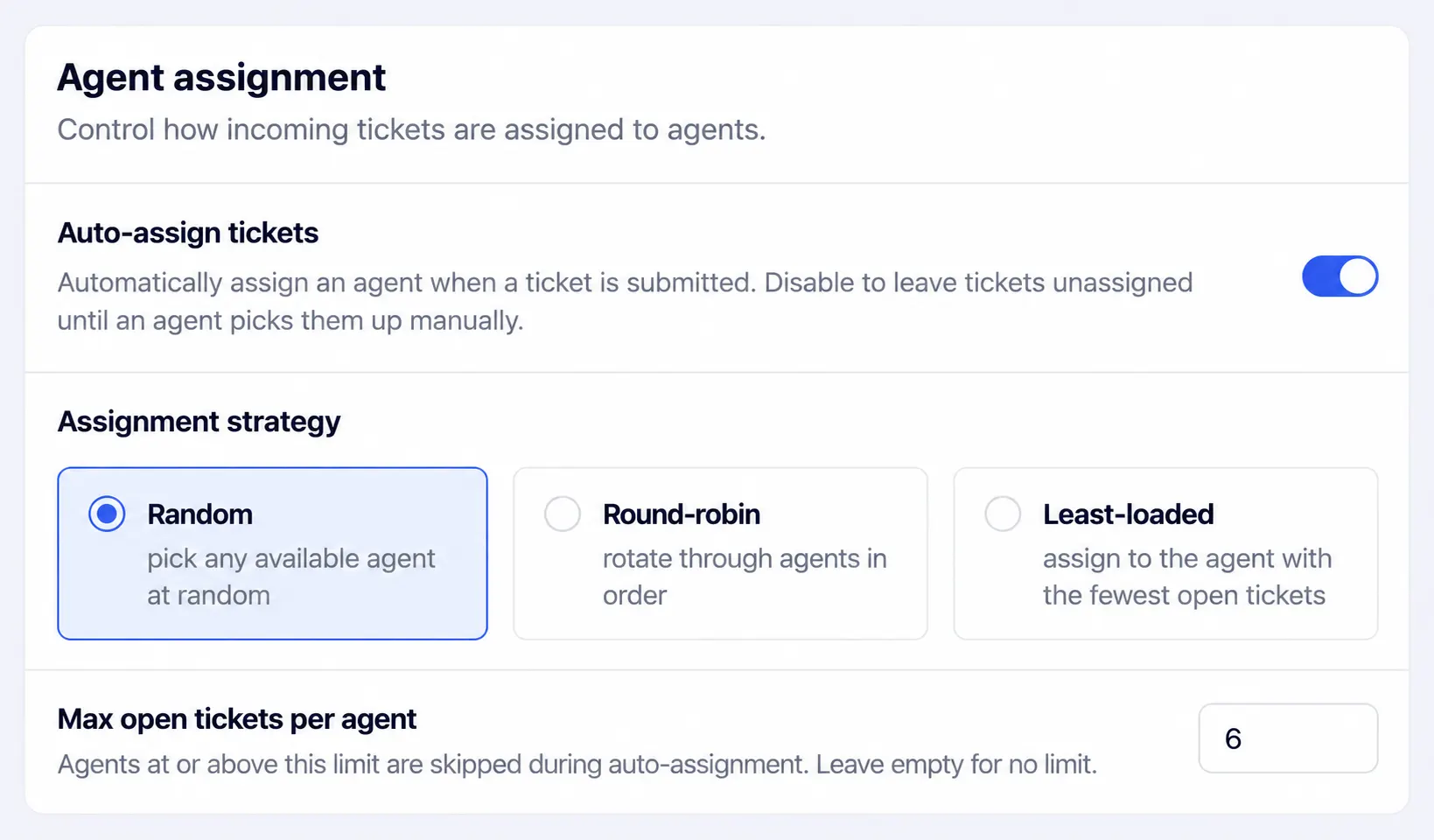
Manager, Agent, and Customer roles control access. Assignment rules and open-ticket limits help distribute the workload.
Give Customers a Dedicated Ticket Portal
Guests can submit a ticket and claim it later. Returning customers can sign in with a one-time code, magic link, or password.
Ask the Dashboard Instead of Building a Report
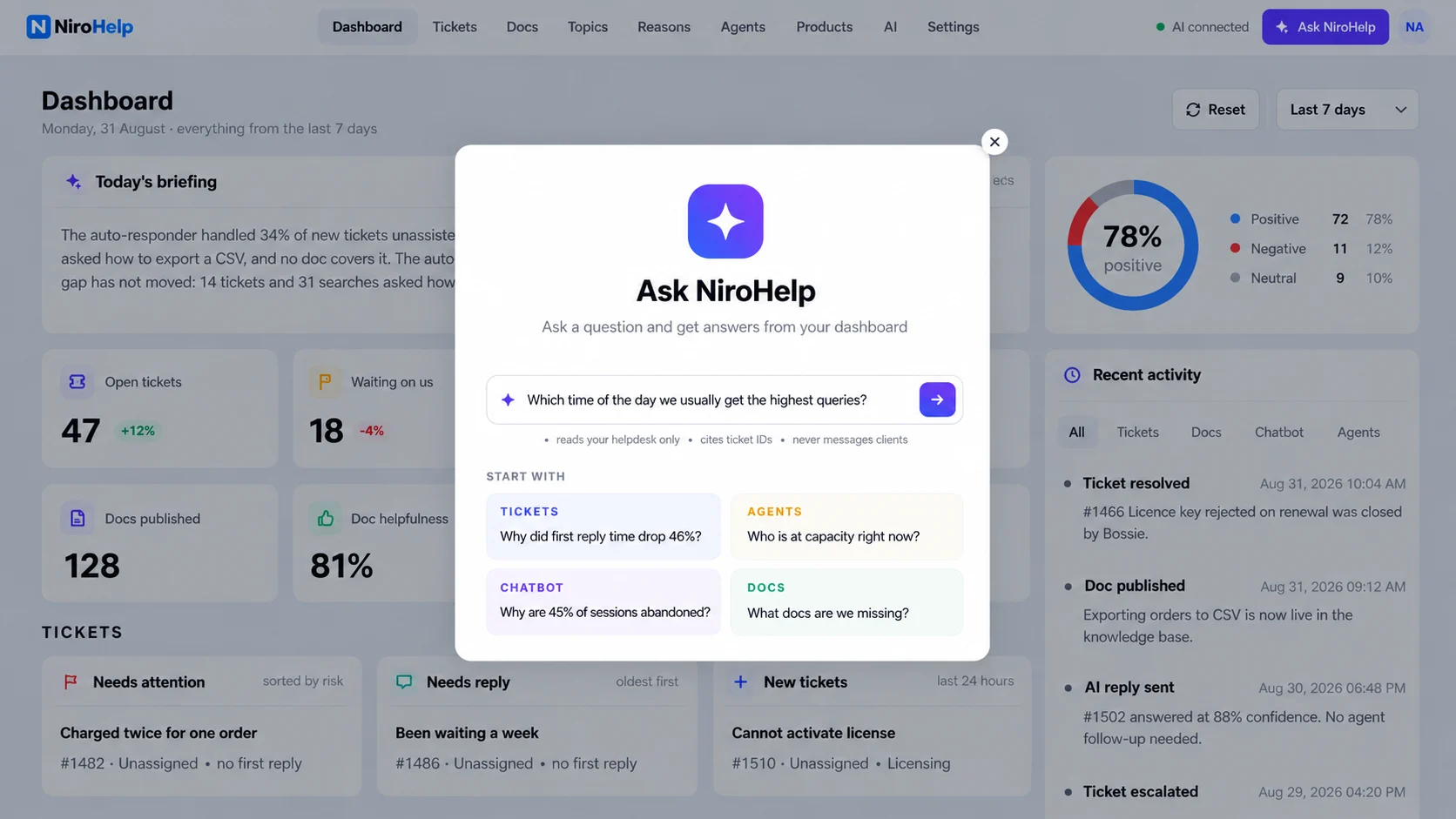
The support copilot answers plain-language questions using your support data. You could ask which customers have waited longest, which agent has the heaviest workload, or which poorly rated article needs attention.
NiroHelp Pricing: Per Site, Not Per Agent
The knowledge base, ticketing, dashboard, and migration tools are free. Paid plans add AI and email piping. Pricing is based on the number of sites, not the number of support agents.
| Plan | Yearly | Monthly | Sites | Monthly AI Credits |
| Free | $0 | $0 | Unlimited | 300 |
| Starter | $189 | $19 | 1 | 1,000 |
| Growth | $379 | $39 | 5 | 6,000 |
| Agency | $949 | $99 | 10 | 15,000 |
One credit covers one chatbot answer, auto-responder reply, or copilot question, regardless of length. If the allowance runs out, AI pauses until the credits reset. Documentation, tickets, the dashboard, and human replies continue working.
Every plan supports unlimited agents, so adding a developer, manager, or seasonal support agent does not change the bill. Paid plans also include a 30-day money-back guarantee. Check the NiroHelp pricing page for the latest figures before publishing or comparing plans.
Move Existing Documentation and Tickets Into NiroHelp
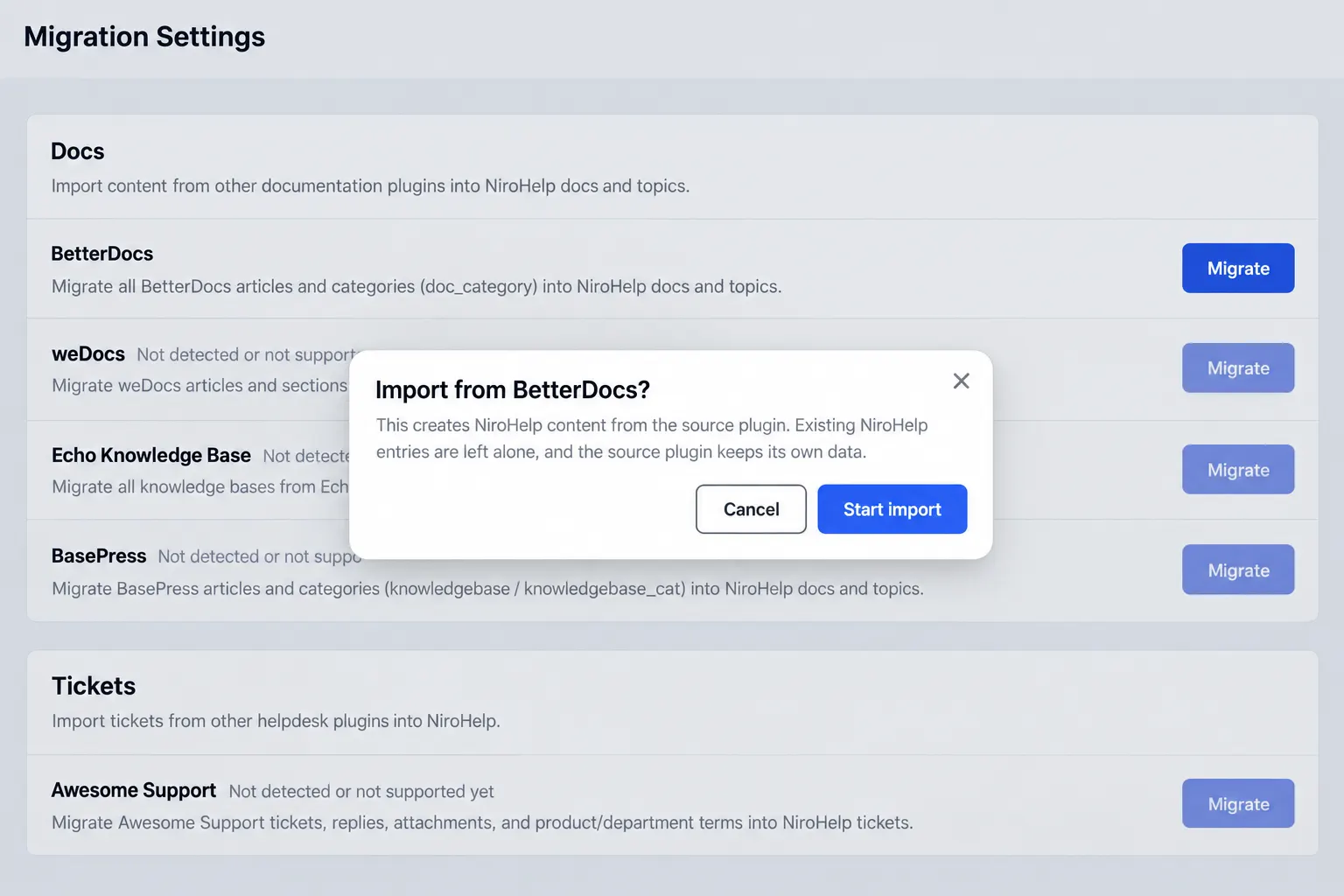
The NiroHelp migration tools import content from seven WordPress plugins:
| Source | Content Imported |
| BetterDocs | Articles and categories |
| weDocs | Articles and nested page structure |
| Echo Knowledge Base | Articles and categories, including multi-KB setups |
| BasePress | Articles and knowledge base categories |
| Awesome Support | Tickets, replies, attachments, products, and departments |
| SupportCandy | Tickets, threads, users, fields, terms, and attachments |
| JS Help Desk | Tickets, replies, fields, terms, and attachments |
Layout settings, saved filters, and historical analytics do not transfer. Reports may therefore look limited until NiroHelp has collected enough new activity.
The importer does not edit or delete source data. Imported records are marked, so rerunning the migration skips existing items. A Clean action can remove imported content if you need to start again. Large migrations run in background batches and can resume, but you should still test the process on staging first.
Start With the Questions You Already Answer
You do not need to automate the full queue on the first day.
- Install the free help desk.
- Import or organize your documentation.
- Identify the questions your team answers most often.
- Make sure each answer is complete and current.
- Enable AI with a high confidence threshold.
- Review the AI log and customer replies for two weeks.
- Expand automation only when the answers are reliable.
This gives you a useful starting point and an honest baseline. Tickets that fall below the threshold show where documentation is missing. Weak answers show which articles need more detail. Reliable answers show where automation can safely save time.
The free version is available on WordPress.org. Add AI when your documentation is ready to support it.
Get NiroHelp free · See all features · Compare plans
Frequently Asked Questions
Is NiroHelp Free?
Yes. The knowledge base, ticketing, dashboard, custom fields, agent roles, automatic assignment, and migration tools are free, with unlimited agents and tickets. Paid plans add AI features and email piping.
Do I Need an OpenAI API Key?
No. NiroHelp manages the AI connection through its credit system. You do not need a separate OpenAI or Anthropic account.
Can I Use Only Documentation or Only Tickets?
Yes. Documentation, ticketing, and AI are separate modules with their own controls. You can enable only the parts your support process needs.
What Happens When AI Credits Run Out?
AI replies pause until the allowance resets. Documentation, tickets, the dashboard, and human support continue working normally.
Can I Add the Chatbot to a Non-WordPress Website?
Yes. The chatbot uses a script tag, so it can be added to other websites while continuing to answer from the documentation stored in NiroHelp.
Subscribe to Our Newsletter
Get the latest WordPress tutorials, trends, and resources right in your inbox. No Spamming, Unsubscribe Anytime.

Thank you for subscribing to our newsletter!

Growth Marketer with expertise in SEO, content marketing, product-led growth, and community-driven acquisition. Experienced in scaling WordPress products through organic search, strategic content, Reddit marketing, and user-focused growth initiatives. Passionate about turning customer insights into sustainable growth, stronger brand visibility, and measurable business results.
Table of Content
- Why Build Another Helpdesk for WordPress?
- What NiroHelp Includes
- A Knowledge Base for Customers and AI
- A Ticket Queue That Distributes Work
- A Dashboard That Prioritizes Risk
- How NiroHelp Answers a Ticket Without an Agent
- You Decide How Certain the AI Must Be
- The AI Waits Before Replying
- Every AI Attempt Is Logged
- The Same Knowledge Powers the Chatbot
- Why Knowing When to Stop Matters
- Deflection Is Not Resolution
- Your Documentation Sets the Ceiling
- The Less Glamorous Features That Keep Support Moving
- Bring Support Email Into the Ticket Queue
- Collect the Right Details Up Front
- Control Agent Access and Workload
- Give Customers a Dedicated Ticket Portal
- Ask the Dashboard Instead of Building a Report
- NiroHelp Pricing: Per Site, Not Per Agent
- Move Existing Documentation and Tickets Into NiroHelp
- Start With the Questions You Already Answer
- Frequently Asked Questions
- Is NiroHelp Free?
- Do I Need an OpenAI API Key?
- Can I Use Only Documentation or Only Tickets?
- What Happens When AI Credits Run Out?
- Can I Add the Chatbot to a Non-WordPress Website?