How to Optimize Every Stage of the WooCommerce Customer Journey


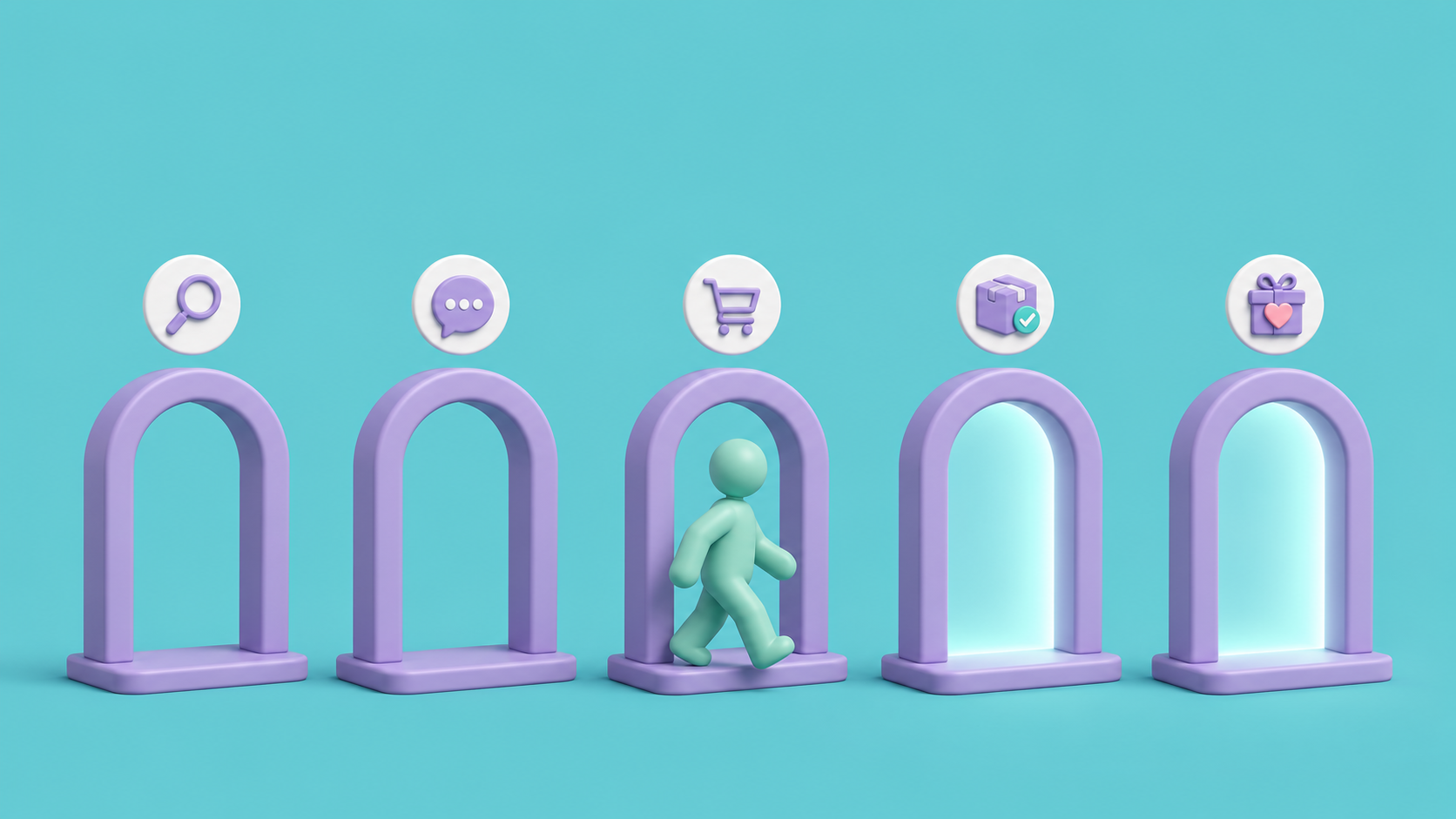
Most store owners think they know where their WooCommerce sales are leaking. Traffic looks fine. Add-to-cart numbers look fine. Then checkout happens, or doesn’t, and revenue quietly falls short of what the traffic should have produced. The instinct is to treat that as one problem with one fix: a better popup, a new coupon, a redesigned button. In practice, the customer journey is not one problem. It’s five separate ones stacked on top of each other, and a fix aimed at the wrong stage does nothing for the others.
The five stages are discovery, consideration, checkout, post-purchase, and retention. A shopper has to pass through all five to become a repeat customer, and each stage has its own failure modes: getting found at all, being convinced to stay on the page, actually completing the order, what happens once the package ships, and whether there’s a reason to come back. WooCommerce doesn’t manage any of this for you out of the box, which is why a small, targeted tool at each stage tends to outperform one large plugin trying to do everything.
This guide breaks down the WooCommerce customer journey into five key stages in order and names plugins built for each one, drawn from a mix of developers rather than any single vendor’s lineup, since no one company covers every one of these jobs equally well. Free versions are called out wherever they exist so you can test a fix before paying for it.
Why Treat the WooCommerce Customer Journey as Five Separate Stages?
➔ Symptoms and causes live in different places. A high bounce rate might be a discovery problem (nobody’s finding the store) or a trust problem (they found it and left anyway). Matching the fix to the actual stage saves you from installing tools that don’t touch the real issue.
➔ Free tiers reduce the cost of experimenting. Most of the plugins below ship a working free version, so you can validate a fix at one stage before committing budget to the full feature set.
➔ Gains stack across stages. Fixing discovery sends more qualified shoppers into consideration. Fixing checkout means more of them convert. Each upstream improvement raises the ceiling for everything downstream.
Stage 1: Discovery
If shoppers never see the store, nothing downstream matters. This stage covers two things: showing up where people search and browse, and making sure what they find is accurate.
Rank in organic search
Yoast SEO handles the baseline layer search engines expect: meta titles, readability checks, internal linking suggestions, XML sitemaps, and structured data (full product schema with price and stock needs the Yoast WooCommerce SEO add-on). It also flags thin content and missing alt text on product pages, both of which quietly hold back rankings over time. A store with a better product often loses to a competitor that simply did this setup work first.
Show up on shopping and social channels
Search isn’t the only discovery channel. Product Feed for WooCommerce converts your catalog into feeds for 25+ shopping and social channels, keeping titles, prices, images, and stock levels synced instead of requiring manual updates on each platform. The free version already supports Google, Facebook, Instagram, TikTok, and Pinterest with unlimited feeds. The Pro version adds scheduled syncing and dynamic pricing rules, which matters because a stale feed wastes ad spend fast.
Keep the catalog accurate
None of that traffic is worth much if the catalog behind it is wrong. Once you’re past a handful of SKUs, hand-editing prices and stock counts stops scaling. Product Import Export Plugin for WooCommerce updates the whole catalog through a CSV, XML, or Excel file in one pass, and works just as well for a full site migration as it does for a weekly price update. The Pro version adds more product types and file formats, while the free version covers CSV import and export for most stores.
Let reviews do the convincing
Once a shopper actually lands on a product page, social proof does a lot of the remaining work. Widgets for Google Reviews pulls your Google Business ratings onto the homepage or landing pages as sliders or badges, free to use, and it’s often the single fastest way to stop a first-time visitor from opening a competitor’s tab.
Stage 2: Consideration
A shopper who found the store now has to decide it’s worth their time. This stage is about clearing hesitation, not generating more traffic.
Give shoppers a reason to come back
Not every visit ends in a purchase, and that’s fine if there’s a reason to return. YITH WooCommerce Wishlist lets shoppers save products and share lists, occasionally pulling in a new visitor for free. The premium version also shows your most-wishlisted products; compare that list against sales and you’ll spot items where the price or photos need a second look.
Handle consent without slowing anyone down
Trust has a compliance side too. GDPR Cookie Consent sorts tracking scripts into categories, keeps anything non-essential off until a visitor agrees, and logs consent automatically for audit purposes. It also covers CCPA and other US state laws, and can show the banner only to visitors from specific regions such as the EU or US.
Answer questions before they become objections
Some questions need an answer immediately, especially on higher-priced or technical products. LiveChat puts a real person in front of a shopper right when hesitation shows up, with the option to route a conversation to whichever team member knows the product best. It’s a paid service with a free trial, and a fast answer at the right moment is often the whole reason someone stays on the page instead of closing it.
Recognize repeat visitors
This stage also depends on recognizing repeat visitors instead of treating every session as anonymous. Mailchimp for WooCommerce syncs customer, product, and order data so you can build segments like cart abandoners or first-time buyers, laying the groundwork for the messaging that happens later in the journey.
Stage 3: Checkout
By now the shopper is close to buying, which makes it especially costly to lose the sale over something fixable. Baymard Institute puts the average online cart abandonment rate at around 70%, and a large share of those exits trace back to fixable friction like unexpected costs, forced account creation, and long forms.
Catch shoppers before they leave
Some visitors will still try to leave. OptinMonster detects the moment a cursor drifts toward the back button and responds with an exit-intent offer before the tab closes. It requires a paid OptinMonster account, and it won’t save everyone, but it recovers a meaningful share of those who’d otherwise be gone.
Remove payment friction
Payment friction is easy to miss because it happens in seconds. WooPayments keeps transactions and refunds inside the WordPress dashboard instead of redirecting shoppers to an unfamiliar processor mid-checkout, and it consolidates cards, digital wallets, and buy-now-pay-later options under one processor rather than several stacked plugins. Paying ends up feeling like a continuation of the site rather than a jarring handoff.
Make discounting effortless
A flat discount code works, but it’s rarely the sharpest tool. Smart Coupons for WooCommerce adds BOGO deals, store credit, and links that auto-apply a discount with nothing to copy or paste, removing a step that quietly costs conversions. The free version already includes BOGO, auto-apply links, and restrictions by cart subtotal and user role, while the Pro version adds store credit, cart abandonment coupons, and bulk coupon generation.
Trim the checkout form
The checkout form itself is often the single biggest lever on the entire site. Checkout Field Editor for WooCommerce lets you add, remove, or reorder fields so the form only asks for what’s genuinely needed. Every field you remove is one less reason for someone to abandon it halfway through.
Stage 4: Post-Purchase
The order is placed, but what happens in the following days shapes whether this customer ever comes back.
Give customers a place to ask questions
Post-purchase questions don’t always fit a returns policy page. WPForms gives you a drag-and-drop way to build a feedback or inquiry form and embed it on your thank-you page, catching requests that fall outside the normal support flow.
Answer “where’s my package” automatically
Once an order ships, “where’s my package” becomes one of the most common support questions a store gets. Advanced Shipment Tracking for WooCommerce adds tracking numbers and carrier details to each order, emails customers a tracking link, and shows it on their My Account page. Pair it with TrackShip for live delivery status updates, and a question that used to need a manual reply starts answering itself.
Make the confirmation email look professional
The confirmation email is usually the first thing a customer opens after paying. PDF Invoices & Packing Slips for WooCommerce generates branded invoices automatically and attaches them to order emails, a small detail that does more for perceived professionalism than most stores realize. The Pro version adds credit notes and deeper template customization, while the free version handles standard invoice and packing slip generation.
Stage 5: Retention
Winning a customer once is the expensive part. Winning them again should be cheap, but only if there’s a reason to return and nothing in the way once they decide to.
Reward repeat purchases
Loyalty programs do a lot of quiet work at this stage. myCred lets you build a points and rewards system on top of WooCommerce, points for purchases, referrals, or reviews, redeemable for discounts or store credit, giving repeat-purchase categories a concrete reason to come back rather than just a hope that they will. It’s free on WordPress.org.
Bring in new customers through existing ones
Gift cards work on both ends of retention at once. WooCommerce Gift Cards lets a customer buy a card for themselves or send one to someone who’s never shopped with you, introducing your brand to a new recipient for free while lifting average order value once they spend past the card’s balance. The Pro version adds scheduled delivery and custom card designs, while the free version covers the core setup.
Keep growing catalogs and customer data manageable
Every order also adds to the volume of catalog and customer data you’re managing. Once that data spans multiple stores or a large catalog, Import Export Suite for WooCommerce keeps products, orders, customers, and coupons movable across CSV, XML, or Excel from a single place, useful for migrations, bulk edits, and backups alike.
Wrapping Up
Optimizing the WooCommerce customer journey stage by stage makes it easier to identify problems and improve conversions.No single plugin manages a shopper from first visit through a tenth order, and trying to stretch one tool across all five stages usually creates more friction than it removes. Worked through stage by stage, with each plugin doing the one job it was built for, optimizing the whole journey stops looking like an impossible project and starts looking like a checklist.
Frequently Asked Questions
What are the five stages of the WooCommerce customer journey?
Discovery, consideration, checkout, post-purchase, and retention. Each one has its own failure points, so a fix that works for one stage usually does nothing for the others.
Which stage should I optimize first?
Start wherever your data shows the biggest drop-off. If traffic is healthy but few people reach checkout, the problem is likely consideration. If checkout starts but rarely finishes, look at cart abandonment and payment friction first, since that stage tends to have the highest-value fixes
Can one plugin cover the whole customer journey?
Not realistically. A tool built for checkout friction won’t help a shopper who never found the store, and a discovery tool won’t fix a confusing checkout form. Small, stage-specific plugins tend to outperform one plugin trying to do everything.
Are these plugins free, or do I need to pay?
Most of the plugins in this guide have a free version you can test before upgrading. Free tiers are called out throughout, so you can validate a fix at a given stage before committing budget to it.
Subscribe to Our Newsletter
Get the latest WordPress tutorials, trends, and resources right in your inbox. No Spamming, Unsubscribe Anytime.

Thank you for subscribing to our newsletter!

Table of Content
- Why Treat the WooCommerce Customer Journey as Five Separate Stages?
- Stage 1: Discovery
- Rank in organic search
- Show up on shopping and social channels
- Keep the catalog accurate
- Let reviews do the convincing
- Stage 2: Consideration
- Give shoppers a reason to come back
- Handle consent without slowing anyone down
- Answer questions before they become objections
- Recognize repeat visitors
- Stage 3: Checkout
- Catch shoppers before they leave
- Remove payment friction
- Make discounting effortless
- Trim the checkout form
- Stage 4: Post-Purchase
- Give customers a place to ask questions
- Answer "where's my package" automatically
- Make the confirmation email look professional
- Stage 5: Retention
- Reward repeat purchases
- Bring in new customers through existing ones
- Keep growing catalogs and customer data manageable
- Wrapping Up
- Frequently Asked Questions
- What are the five stages of the WooCommerce customer journey?
- Which stage should I optimize first?
- Can one plugin cover the whole customer journey?
- Are these plugins free, or do I need to pay?