How WordPress Agencies Deliver Client Websites Faster (2026)


Running successful WordPress agencies is not only about doing great work. It is about removing the small inefficiencies that quietly eat into profit. A delayed approval, another unnecessary revision, or rebuilding the same section from scratch can turn a healthy project into a low-margin one.
The strongest agencies solve this by creating systems instead of starting fresh every time. They use repeatable processes, reusable components, starter templates, structured feedback, efficient QA, and tools that reduce manual work.
This guide explains how to build that kind of workflow. The goal is simple: reduce wasted time, avoid repeated work, improve consistency, and help the same team deliver more projects without sacrificing quality.
Quick answer: WordPress agencies deliver faster by systemizing, not by rushing. Five moves do most of the work: define scope in writing with an exclusions list, start every project from a starter kit instead of a blank canvas, standardize the whole team on one builder, build from a reusable component library, and set fixed approval points so revisions cannot spiral.
Why Delivery Speed Decides Who Wins Work In 2026
Your clients have watched competitors launch in weeks. They have used AI tools that draft a homepage in seconds. Their expectations have moved, and they are not moving back.
They want short timelines, visible progress early, fast iteration, fixed pricing, and launch-ready quality. Speed and mobile are defaults now, not upsells.
You do not have to accept every unrealistic deadline. But if you take twice as long as a comparable agency at similar quality, you will lose work you should have won.
What Slow Projects Actually Cost
Slow projects cost you in ways that never show up on an invoice.
Your team stays occupied with old work. Long timelines invite scope creep, because clients have time to think of more. Final payments arrive later.
And late delivery loses referrals faster than average design ever does.
The data backs the scope problem specifically. PMI found that projects without a formal change management process are 35% more likely to blow their budget or miss their deadline. The Standish CHAOS dataset puts on-time, on-budget, in-scope delivery at just 31% of projects.
But the real cost is opportunity, and it is worth putting a number on.
An agency running four developers at ten weeks per project ships about 20 builds a year. Cut the same work to six weeks, and the same four people ship 34. That is fourteen extra projects at no extra payroll.
Nothing else in your business moves that number without hiring.
Try this: Track your actual delivery time for three months, including revision rounds and launch delays. Most agencies find the real number is far longer than the one they quote. That gap is where the margin went.
Start With A Repeatable Process
Speed comes from not re-deciding things you already decided.
Define Scope, Then Write The Exclusions
Most delays are scope problems wearing a timeline costume.
Before design starts, document the page list, the required functionality, who supplies content and by when, how many revision rounds are included, and what is explicitly excluded.
That exclusions list is the most protective thing you will write. “This does not include copywriting, ongoing SEO, or multilingual setup” kills the conversation where a client assumes those were implied.
Standardize The Stages
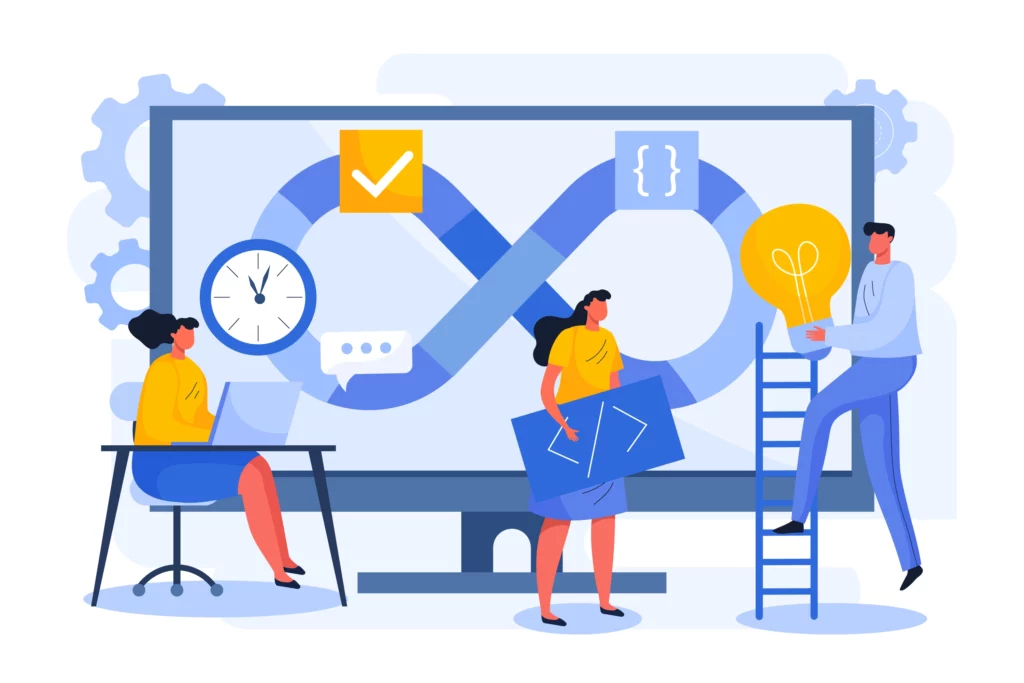
Define the stages every project moves through, then use them for every client. Discovery, planning, design, development, content, QA, review, launch, handover.
The specific stages matter less than everyone knowing what happens next and what “done” means for each.
Ambiguity between stages is where projects stall silently.
Build Checklists You Actually Update
Checklists turn expertise into consistency. They also let you hand off work you would otherwise do yourself.
Build one each for onboarding, kickoff, development setup, pre-QA, launch, and handover.
Then update them every time something goes wrong. Treat each mistake as a permanent process fix, not a one-time save.
Stop Building From A Blank Canvas
This is the biggest time-saving available to most agencies, and the one they resist longest.
Why Scratch Builds Are Slow
Do this audit on your own last three projects. Open them side by side and count the components.
A header. A hero. A services grid. A testimonial block. A pricing table. An FAQ accordion. A footer.
You built structurally identical versions of all seven, three times. The visual design differed. The underlying structure barely did.
Put a rough hour count next to each one, and you will see the number. For most agencies, it lands somewhere between 12 and 20 hours per project spent rebuilding structure that already existed.
Templates And Section Libraries
Full website templates give you a complete multi-page structure to customize. The good ones include inner pages, not just a homepage.
Homepage-only templates leave you building the rest by hand, which is exactly where design drift creeps in.
Section libraries let you compose pages from proven blocks. When a client wants a comparison table under the pricing, you place one instead of building one.
The workflow shift is the real win. Instead of building structure and then applying design, you start from structure and spend your hours on what actually varies per client: the copy, the brand, the imagery, the specific functionality.
Build Your Own Starter Kit
Assemble one from what you already produce.
A base WordPress configuration, your standard pages, your most-used components, legal templates, form setups, performance defaults, and your checklists.
Set it up once. Start every project from it.
The first hour of a new project should never go to configuration you have done fifty times.
On the “everything looks the same” fear: Resistance to templates usually comes from a fear of sameness. Once you replace copy, imagery, colors, typography, and spacing, template-based sites are indistinguishable from scratch builds. What looks generic is unchanged demo content. That is a customization failure, not a template problem.
Pick One Builder and Stick to It
Standardizing matters as much as the specific choice.
An agency where three developers each prefer a different builder cannot share components, cannot move people between projects, and cannot build a starter kit that works for everyone.
Bricks, for Lightweight Custom Builds
Bricks has gained adoption by agencies for one main reason: it produces clean, lightweight markup, making strong Core Web Vitals achievable without heavy optimization afterward.
For agencies selling performance, that removes a recurring task. It also provides precise structural control, well-suited to custom builds and teams with development capabilities.
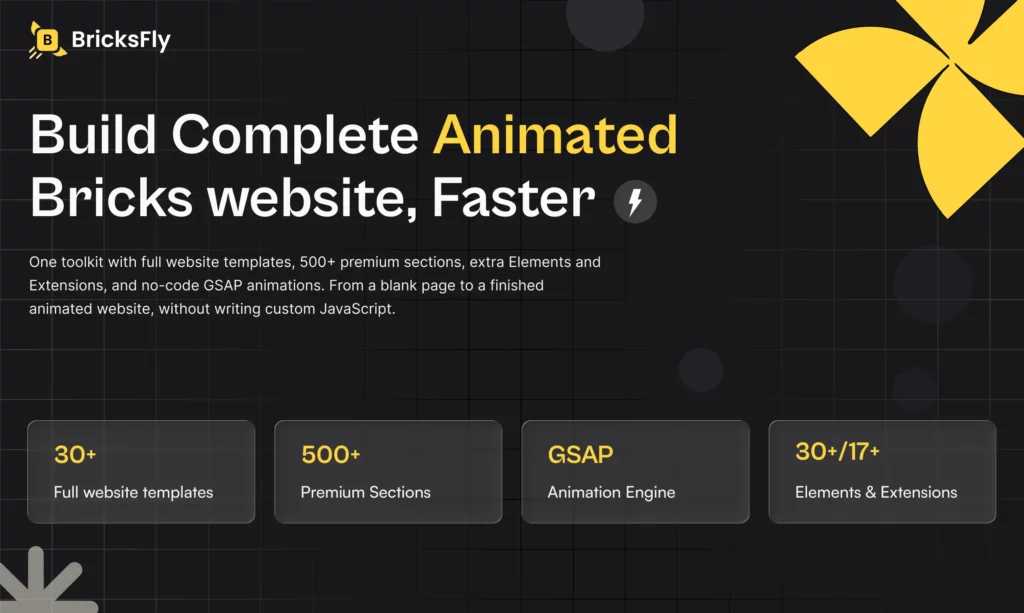
Speeding up Bricks builds with BricksFly – Bricks is fast and clean, but out of the box it still puts your team in front of a blank canvas for every project. And when a design calls for scroll animation, you are back to custom JavaScript.
BricksFly closes that gap by packaging what agencies would otherwise assemble from several plugins:
- 30+ full website templates with inner pages included
- 500+ premium sections with live copy and paste
- 30+ Elements beyond what Bricks includes natively
- 17+ Extensions for animation and interaction behavior
- A no-code GSAP animation engine covering ScrollTrigger, text animation, sticky and pin sections, horizontal scroll, and parallax
For agency delivery, the value compounds. Templates remove the structural build. Sections remove the component build. Extensions remove the “we need a plugin for this one feature” detour.
The animation engine turns a developer task into a design task. Each removes a step that used to appear on every project.
Elementor, for Volume and Mixed-Skill Teams
Elementor brings different advantages: a large talent pool, an enormous ecosystem, and a learning curve gentle enough that designers and junior staff get productive quickly.
It suits high volumes of small to medium business sites. The trade-off is weight, since Elementor rewards deliberate optimization rather than giving you performance for free.
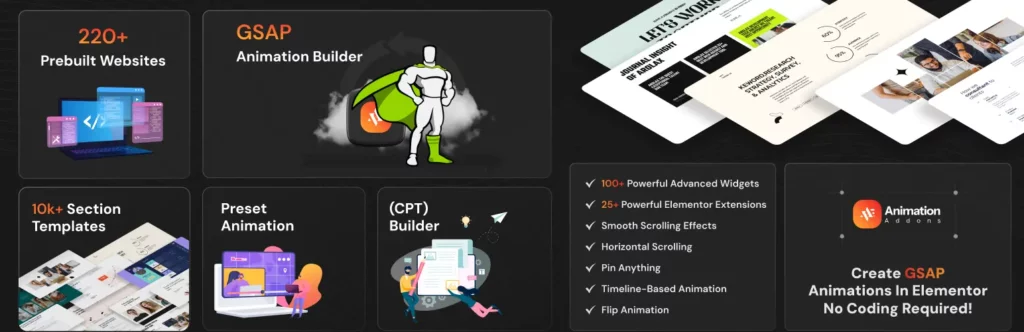
Professional animation with Animation Addons – Elementor’s native motion covers simple entrance effects. The moment a design calls for a heading revealing word by word, a scroll-linked sequence, or coordinated timing across elements, your team is writing JavaScript or negotiating the feature out of scope.
300+ pre-built website templates, 2,000+ page templates, and 10,000+ section templates
Custom animation builder powered by GSAP
- 100+ widgets and 25+ extensions in a single plugin
- Lightweight structure designed for fast loading
- Fully compatible with Elementor Free and Pro
- Advanced mega menu builder
- Multi-widget support with responsive controls
- Cross-browser compatibility
- Custom CSS support for more flexible styling
NOTE: Each tool follows its builder’s native terminology. Bricks uses Elements; Elementor uses widgets. Keeping that straight matters in internal documentation and handover notes, where mixed vocabulary creates confusion.
Work From Components, Not Pages
Templates give you a fast start. Design systems keep you fast for everything after.
A design system is the documented set of decisions that stops your team from re-deciding basics. A color system, a type scale, a spacing scale, button styles with every interaction state, form styles, and standard breakpoints.
Build it once as your agency baseline. Then adapt the visual layer per client while the underlying structure stays identical.
Global styles are what make that practical rather than aspirational. When colors, typography, and spacing are defined globally, a late brand change becomes a settings update instead of a site-wide audit.
Use them consistently, and forbid hard-coded values in your internal standards.
Then maintain a component library of what you place on nearly every project: header and footer variants, hero sections, service cards, testimonial blocks, pricing tables, FAQ accordions, CTA bands, and contact sections.
Choose Plugins With Discipline

Plugins accelerate delivery or quietly destroy it. The difference is selection discipline.
Before anything joins your standard stack, put it through five questions:
- Performance impact. What does it add to page weight and request count?
- Active maintenance. When was the last update, and how fast do they patch?
- Compatibility. Does it play well with your builder and the rest of your stack?
- License terms. What does it cost across fifty client sites, not one?
- Longevity. Will this company still exist in three years?
Prefer tools that cover several related needs over one plugin per feature. A toolkit that handles templates, sections, elements, and animation replaces four plugins with one license, one update cycle, and one support contact.
Plugin bloat is a delivery problem before it is a performance problem.
Each addition brings update maintenance, conflict risk, and one more thing to check when something breaks the night before launch.
Maintain a standard approved stack. Remove rather than deactivate what you are not using. And watch for overlap, since two plugins doing similar jobs duplicate scripts and cause conflicts.
One category of request reliably blows up timelines: the feature your standard stack does not cover. Advanced animation is the most common version of it.
A client approves a design with a scroll-linked hero and staggered service cards, and suddenly a design decision has become a development sprint.
Where AI Actually Saves Agency Time In 2026
Any article about agency speed in 2026 that skips this is out of date on arrival.
AI is not an edge case in development anymore. JetBrains surveyed more than 15,000 professional developers this year and found 90% using AI coding agents at least weekly, and 68% daily.
The question is no longer whether your team uses it. It is which parts of your delivery pipeline it should touch.
Where it pays off right now:
- First-draft copy from a client’s existing materials, so content deadlines stop blocking design
- Custom CSS and small JavaScript snippets, where a developer reviews instead of writes
- Alt text and meta descriptions across a fifty-page site
- Structured data markup
- Migration cleanup on messy inherited content
- Test data for staging
Where it quietly costs you time:
- Anything where verification takes longer than doing it yourself
- Full page builds from a prompt, which produce structure you then have to unpick
- Client-facing copy with no human edit pass, which is how a brand voice dies
- Plugin or theme code you cannot read well enough to debug at 11 pm before a launch
The honest framing: AI compresses the drafting stages of your workflow, not the deciding stages. Scope, structure, approvals, and QA still take exactly as long as they took last year.
Which is the whole argument for systemizing them.
Optimize Performance During The Build, Not After
Treating performance as a final-stage task is one of the most expensive habits in agency work.
Three metrics matter. Largest Contentful Paint under 2.5 seconds, Interaction to Next Paint under 200 milliseconds, and Cumulative Layout Shift under 0.1.
CLS is the one most often created during development, usually by images without dimensions, late-loading fonts, or animations that shift layout.
Images are still the single biggest weight problem on the web. The 2025 Web Almanac puts the median mobile home page at 2,559 KB, with images accounting for 911 KB of it. That is 36% of the page, more than JavaScript and fonts combined.
Agencies inherit most of that problem from clients handing over full-resolution photography without thinking about it.
Fix it at upload, not at audit. Compress and convert to WebP on the way in, set explicit width and height so nothing shifts as the page loads, and lazy-load anything below the fold.
Then choose a builder with clean output, limit your font weights, lean on quality hosting and caching before plugin-level tricks, and set performance budgets during design rather than discovering them during QA.
Run QA That Does Not Get Compressed
QA gets squeezed when projects run late, which is exactly when errors are most likely. A defined process prevents both problems at once.
Responsive And Cross-Browser
Test on real devices at phone, tablet, and desktop widths, checking for horizontal overflow.
Cover Chrome, Safari, Firefox, and Edge, including Safari on iOS specifically. That last one catches teams out regularly.
Forms And Functionality
Forms are the highest-stakes element on most sites, because a broken one loses leads silently.
Submit as a real user rather than logged in as admin. Confirm delivery to the right inbox, check auto-responders are not landing in spam, and test validation with wrong input.
Then verify every link, every CTA destination, and any booking or commerce flow end to end.
Performance, Accessibility, Security
Run PageSpeed on the homepage plus your heaviest interior page, on simulated mobile connections.
Check contrast, alt text, keyboard navigation, focus states, heading hierarchy, and reduced-motion support.
Confirm SSL forces HTTPS, unused plugins are removed, and backups actually restore.
Make Launch and Handover Routine
Launch day should be boring. When it is improvised, things get forgotten, and the forgotten thing is usually significant.
Use The Same Checklist Every Time
Before launch:
- Search engine visibility enabled
- SSL forcing HTTPS
- Redirects mapped from old URLs
- Analytics installed and firing
- Sitemap submitted
- Meta titles and descriptions in place
- 404 page configured
- Forms tested
- Backups verified
- Caching enabled
- Staging protection removed
- Placeholder content gone
After launch:
- Verify the site loads across devices
- Retest forms in production
- Confirm analytics is recording
- Recheck speed live
Automate The Repetitive Parts
Scheduled off-site backups with restoration tested at least once. Staging-to-live deployment. Update management. Uptime monitoring with alerts, so you hear about downtime before the client does.
Many managed hosts include most of this. Using it consistently across your whole portfolio is what converts a feature into an actual time-saver.
Make Handover Simple
Give them a short walkthrough video covering the tasks this specific client will actually perform. Written documentation. Credentials transferred through a password manager rather than email. And a named support contact.
Templatize all of it, so handover documentation gets adapted per client and never written from nothing.
The retainer moment: Handover is your best window to sell maintenance. The client is happy, the site is fresh in their mind, and the risk of neglect is obvious to them right now. Build that conversation into your process instead of leaving it to chance.
The Fast-Delivery Workflow, Phase By Phase
| Phase | Focus | Main risk | Mitigation |
| Discovery and planning | Brief, scope, sitemap, content deadlines | Vague scope | Written scope with exclusions |
| Design | Homepage first, then the system | Revision spiral | Approve the pattern once |
| Development | Template import, then components | Rebuilding from scratch | Starter kit and section library |
| Content | Runs parallel to design | Client delay | Deadlines set at kickoff |
| QA | Full checklist before the client sees it | Compressed by overruns | Protected, standardized time |
| Launch and handover | Checklist, verification, documentation | Forgotten steps | Same checklist every time |
From Brief To Sitemap
Run kickoff from your standard questionnaire. Document scope in writing. Get the sitemap approved before any design happens. Set content deadlines. Set the project up from your starter kit.
Sitemap approval matters more than it looks. Structural changes after development starts are the most expensive revisions there are.
From Design To Development
Design the homepage first and get it approved, because it establishes the system for everything else.
Apply colors, typography, spacing, and components globally. Import your starting template. Build inner pages from your section library.
Then populate real content as it arrives, add animation with your no-code tools, and check performance weekly rather than at the end.
From QA To Launch
Run the full QA checklist and fix everything before the client sees it, so their review covers content instead of bugs.
Review on staging with a defined window and one named decision maker. Get final approval in writing. Launch from the checklist. Hand over.
Final Thoughts: Build Smarter, Not Just Faster
Chase speed directly and you get bad work. Build good systems and speed shows up as a side effect, along with better work than you were doing before.
Every improvement here follows one principle. Stop redoing what you have already done.
Stop redefining your process for each project. Stop rebuilding the same sections. Stop improvising QA and launch. Stop absorbing revision cycles you never agreed to.
That is the real prize. Not shipping the same work in less time, but running an agency where quality does not depend on heroics, and growth means adding projects instead of adding hours.
Pick the one thing costing you most right now. Fix it this quarter.
FAQs
How long should an agency take to build a WordPress website?
It depends on scope, but a standard five- to ten-page business site is commonly delivered in four to six weeks with a systemized process, versus eight to twelve without one. The difference is rarely raw development speed. It comes from starting with templates, front-loading approvals, and setting content deadlines at kickoff.
Do templates make agency websites look generic?
Not once they are properly customized. A template gives you structure, spacing, and responsive behavior. Replace the copy, imagery, colors, typography, and specific sections and the result is indistinguishable from a scratch build. Clients evaluate the finished website, not the starting point.
Elementor or Bricks for agency work?
Both work, and standardizing on one matters more than which one you pick. Elementor offers the largest ecosystem and the gentlest learning curve, which suits high-volume work and mixed-skill teams. Bricks produces cleaner, lighter markup, which suits performance-focused builds and teams with development capability in-house. Whichever you choose, add a toolkit that covers templates and animation so nobody starts from a blank canvas.
How do agencies reduce client revision cycles?
Define the included rounds in the contract, name a single decision maker, collect feedback through one structured channel, and approve the homepage before building inner pages. Also populate real content before design sign-off, since designs approved with placeholder text almost always need rework once the real copy lands.
How do agencies handle animation requests without blowing the timeline?
Use a no-code animation tool rather than writing custom JavaScript per project. Beyond the hours saved, the work shifts from a developer to a designer, which removes an entire handoff from the timeline. The alternative is negotiating the animation out of scope, which costs you the design your client approved.
What should be in an agency’s standard WordPress plugin stack?
Keep it small and approved. One builder, one forms plugin, one SEO plugin, one security layer, one caching layer, one image optimization plugin, one backup solution. Seven categories covers most business sites. Everything beyond that is another update cycle, another conflict risk, and another thing to check the night before launch.
Subscribe to Our Newsletter
Get the latest WordPress tutorials, trends, and resources right in your inbox. No Spamming, Unsubscribe Anytime.

Thank you for subscribing to our newsletter!

Table of Content
- Why Delivery Speed Decides Who Wins Work In 2026
- What Slow Projects Actually Cost
- Start With A Repeatable Process
- Define Scope, Then Write The Exclusions
- Standardize The Stages
- Build Checklists You Actually Update
- Stop Building From A Blank Canvas
- Why Scratch Builds Are Slow
- Templates And Section Libraries
- Build Your Own Starter Kit
- Pick One Builder and Stick to It
- Bricks, for Lightweight Custom Builds
- Elementor, for Volume and Mixed-Skill Teams
- Work From Components, Not Pages
- Choose Plugins With Discipline
- Where AI Actually Saves Agency Time In 2026
- Optimize Performance During The Build, Not After
- Run QA That Does Not Get Compressed
- Responsive And Cross-Browser
- Forms And Functionality
- Performance, Accessibility, Security
- Make Launch and Handover Routine
- Use The Same Checklist Every Time
- Automate The Repetitive Parts
- Make Handover Simple
- The Fast-Delivery Workflow, Phase By Phase
- From Brief To Sitemap
- From Design To Development
- From QA To Launch
- Final Thoughts: Build Smarter, Not Just Faster
- FAQs